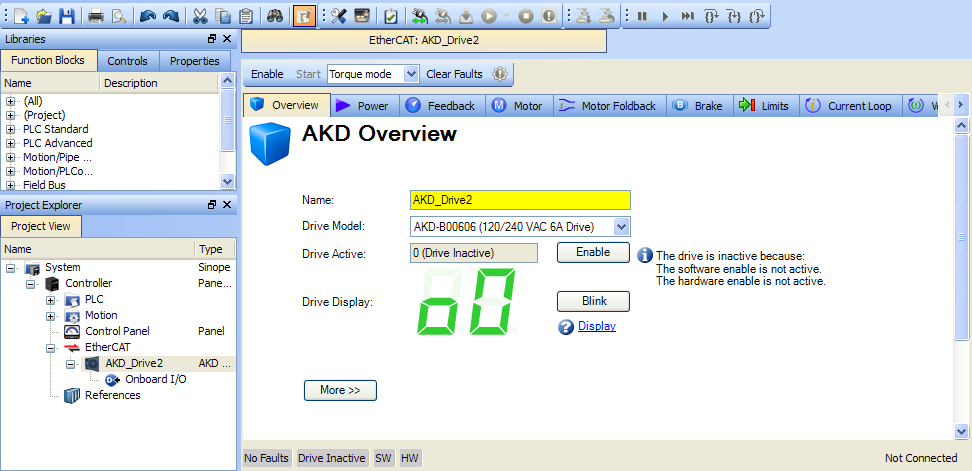
Figure 4-32: AKD Configuration
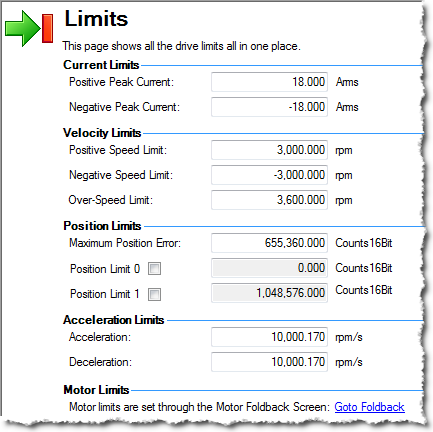
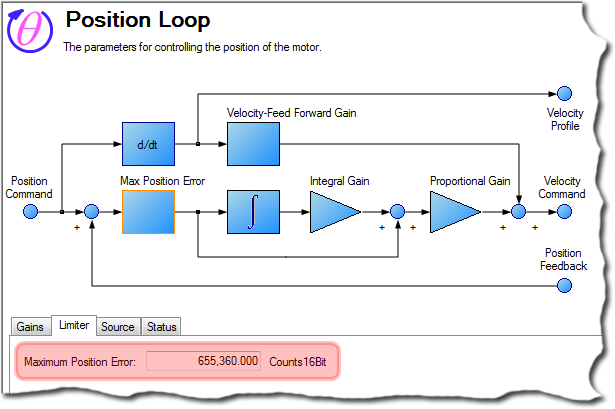
Note that for all feedback types, the motor position feedback sent from the AKD drive to the PAC"Programmable Automation Controller" PAC is a compact controller that combines the features and capabilities of a PC-based control system with that of a typical programmable logic controller (PLC). A PAC thus provides not only the reliability of a PLC, but also the task flexibility and computing power of a PC. Additionally, because they function and communicate over popular network interface protocols, PACs are able to transfer data from the machines they control to other machines and components in a networked control system through EtherCAT is normalized to 20 bits/rev or 1048576 counts/rev
- For Pipe Network, refer to Set the Position Units
- For PLCopenA vendor -and product- independent worldwide association active in Industrial Control and aiming at standardizing PLC file formats based on XML, refer to Axis Data Parameters
-
-
User units in the PLC"Programmable Logic Controller" A Programmable Logic Controller, PLC, or Programmable Controller is a digital computer used for automation of industrial processes, such as control of machinery on factory assembly lines. Used to synchronize the flow of inputs from (physical) sensors and events with the flow of outputs to actuators and events language editors are:
- Position : User unit
- Velocity User unit/sec
- Acceleration: User unit/sec2
Several AKD tabs contain units that follow the standard AKD format:
- Position: 16 bits/rev
- Velocity: RPM"Revolutions per minute"
Is a unit of frequency of rotation: the number of full rotations completed in one minute around a fixed axis. It is used as a measure of rotational speed of a mechanical component
- Acceleration: RPM/ Sec
- Position : User unit
- Slider Tuning - Allows adjustment to the desired bandwidthIn computer networking, bandwidth often refers to a data rate measured in bits/s, for example, network throughput. The reason for the connection of data rate with the term bandwidth is that the limit to the data rate of a physical communication link is related to its bandwidth in hertz using the slider (pre-calculated tuning)
- Performance Servo Tuner - Takes the drive through an automatic tuning sequence
- Manual Tuning - Allows you to set gains individually for Current Loop, Velocity Loop, and Position Loop


